Lab 3: Directives (ngIf & ngFor)
Objectives
- Use angular ngIf and ngFor directives
Instructions
Step 1 - ngIf directive
- In the
app.component.tscomponent, create a variable calledshowAlbumOfTheDayand set it totrue. -
- Above the
albumOfTheDaydisplay, add a button that will toggle theshowAlbumOfTheDayvariable fromttruetofalseand othjer way around.
- Above the
- It will display "Hide" if the
showAlbumOfTheDayis true and "Show" if it is false. - Use the
ngIfdirective to display thealbumOfTheDayonly if theshowAlbumOfTheDayvariable is true.
Step 2 - ngFor directive
- Create a new component called
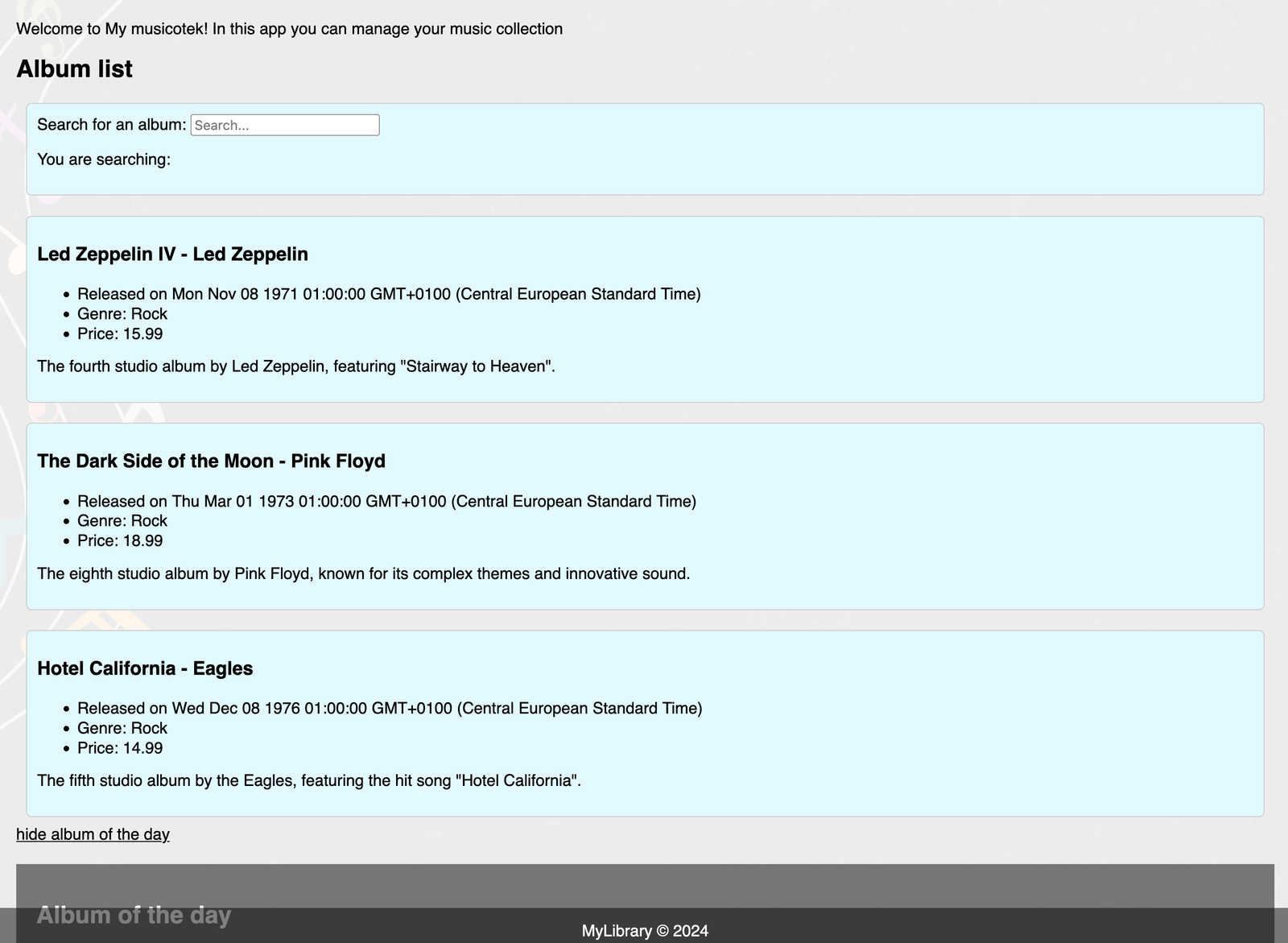
album-listand display the list of albums in theapp.component.htmlfile, above thealbum-of-the-daycomponent. - In the
album-listcomponent, create a variable calledalbumsand assign an array of objects that respect the Album interface. - Use the
ngFordirective to display the list of albums in thealbum-listcomponent.
At this level app.component.html should look something like:
    <app-albums-list />
    <a class="link" (click)="showAlbumOfTheDay = !showAlbumOfTheDay">{{showAlbumOfTheDay ? 'hide' : 'show' }} album of the day</a>
    <app-album-of-the-day *ngIf="showAlbumOfTheDay"></app-album-of-the-day>
Instructions - Step 2
It is also possible to iterate over a list of elements that would come from a function. Let's create a function that will return the list of albums based on a search term.
Moving the search form
- Move the search form from the
app.component.htmlto thealbum-listcomponent.
[hint] don't forget to move the variable
searchTermto thealbum-listcomponent.
Using filter to filter existing albums
- In the
album-listcomponent, create a method calledalbumsFilteredthat will return filtered albums based on thesearchTermvariable. - Use the
albumsFilteredmethod to filter the albums displayed in thealbum-listcomponent.
[HINT] Here is an example of how it can be done
albumsFiltered(): Album[] {
  return this.albums.filter(album => {
    return album.title.toLowerCase().includes(this.searchTerm.toLowerCase())
  })
}
<li *ngFor="let album of albumsFiltered()">{{ album.title }}</li>
Resources